


Q:
How many prompts are in the Cosmillion daily launch?
A:
There are seven. The daily launch gives players the same set of prompts for that day.
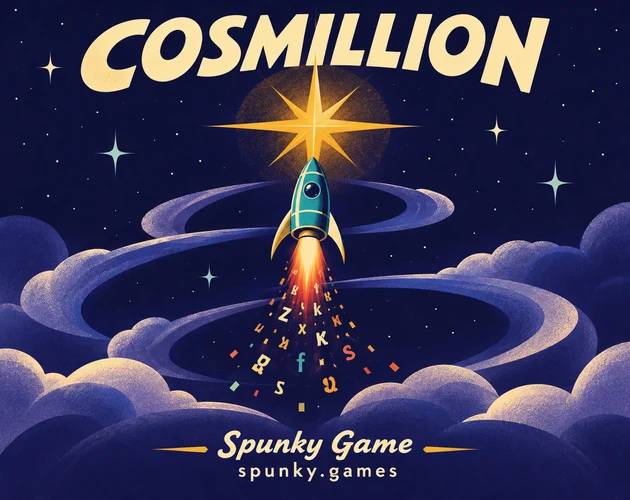
Find an uncommon answer to each prompt to send your rocket higher.
Share Cosmillion





Cosmillion is a daily word game where answers that few people think of earn more points and send a rocket higher. There are seven prompts, each with 25 seconds on the clock. A prompt might ask for a fruit or a famous mountain. You have to think of an example that actually fits, then decide whether you can do better than the first word that came to mind. You might know a less familiar fruit from a market where you used to shop. That's the sort of detail you can turn into extra thrust when the right question comes up.
Select Launch on the daily challenge screen. Wait for the countdown and read the prompt when it appears. Enter one answer before the timer reaches zero, then press Enter or use the Launch button beside the answer field. After the game scores your response, check the points and the rocket's new altitude. Select Climb to move on. If you leave before the daily launch is complete, look for Resume Launch the next time you open the game. The progress display tells you which of the seven prompts you are on.
A valid answer earns one of six scores: 10, 15, 30, 60, 85 or 100. The lowest tier is Tourist, while the highest is One in a Galaxy. Your rocket starts below sea level and climbs as the points add up. The label beside the altitude changes as your launch reaches a new zone. Seven top-tier answers would give you 700 points. A missed prompt gives you zero, but you can continue the launch. After a round about words and categories, you can switch to Resonant Atlas for a game built around exploring a map.
Cosmillion gives you a reason to look for a second or third answer even when you already know something that fits. On one prompt, you might settle for a familiar response with two seconds to spare. On the next, you might remember an example from a hobby you know well. Both decisions can help the same launch. Watching the rocket move gives you a quick sense of how the answer was scored. If a timed session leaves you wanting a slower puzzle, try the glass blocks in Prism Loom and take as long as you need to plan.
Start Cosmillion in your browser on Spunky Game at spunky.games. Make sure you can see the current prompt and the answer field before the countdown begins. If typing doesn't reach the game, click the field and try again. The scoring screen gives you a moment to read your result before you select Climb. That is a better time to step away than the middle of a prompt. When you finish the launch, you can try a different kind of word-free puzzle in Pearlbound without having to think under a countdown.
Read what the prompt asks for before choosing the most unusual thing you can remember. If it asks for a famous mountain, an obscure peak might be less suitable than a well-known mountain outside the region you first thought of. A rare word only helps when it answers the actual question. Try thinking of examples from a place, subject or activity you know firsthand.
💡Keep one answer in mind while you look for another. When the timer is low, use the example you can spell and submit in time.
There are seven. The daily launch gives players the same set of prompts for that day.
You have 25 seconds per prompt. Type your answer and submit it before the clock runs out.
A common answer can earn points if it fits. The lowest scoring tier is worth 10 points, and rare answers can earn as many as 100.
A timeout can leave you with zero points for that question. Use Climb on the result screen to continue the launch.