Iron Wilds — Frontier Protocol: Build, Explore, Survive
The machines kept their jobs. Humanity didn't. Build an outpost that can handle the fallout.
Share Iron Wilds — Frontier Protocol
More games
New Games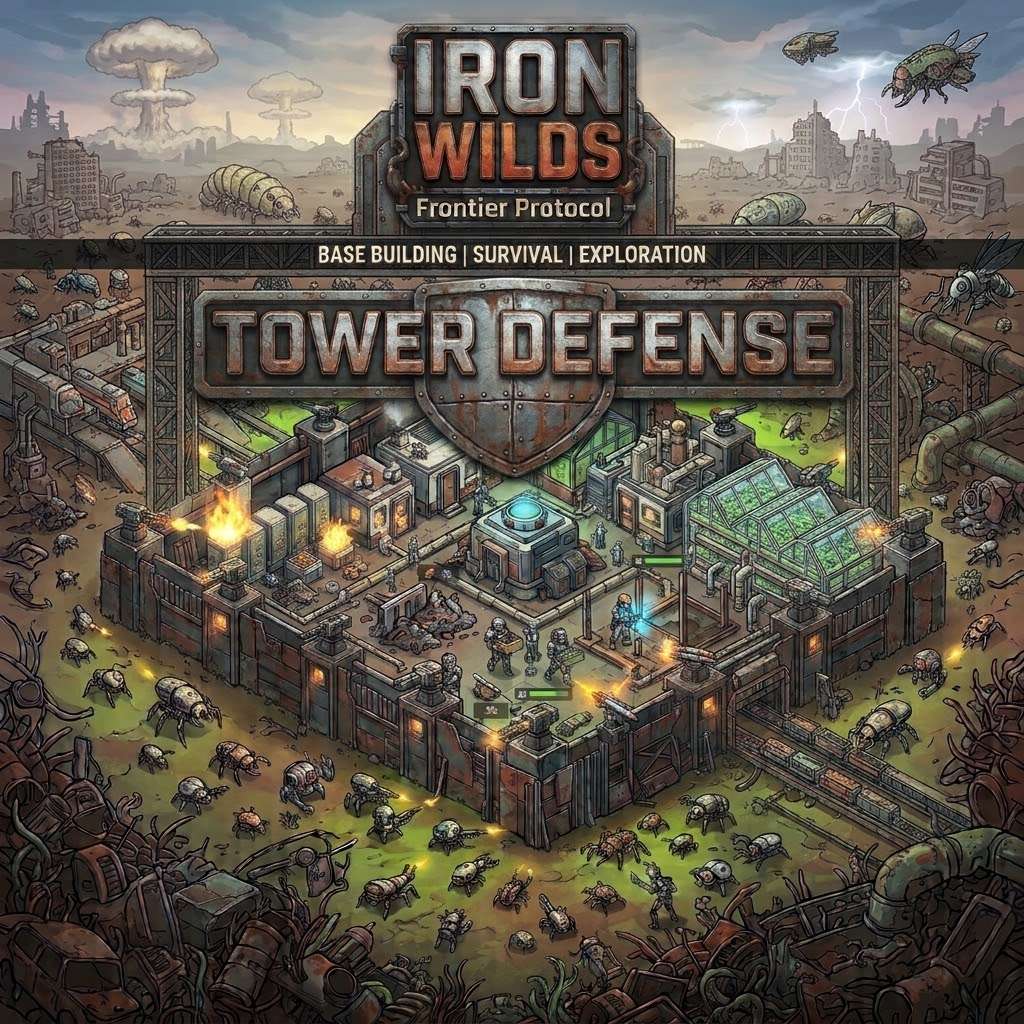
Related games

Kinda Hard Golf

Shatter Sprunk IncrediBox

Sprunki Retake Oren Virus

Subway Surfers New York

Sprunki Wenda Treatment Dandys World Style

Sprunki Chaotic Good PLUS!

Sprunki Reversed: Reupload!

2048

Sprunki New Motifed

Sprunki Durple Treatment
What is Iron Wilds — Frontier Protocol?
Iron Wilds — Frontier Protocol is a single-player, top-down survival game where civilization has collapsed, but its machines are still very much on the clock. Explore ruins for resources and research, automate your growing outpost, and build tower defenses against increasingly nasty raids. Your next expedition feeds your next upgrade—provided you've left home well defended.
How to play Iron Wilds — Frontier Protocol
1. Pick your landing spot
Choose a landing position and difficulty before starting your run. Keep the starting logistics center, generator, and workshop operating; the optional beginner tutorial can help you get settled.
2. Get moving and gathering
Move with WASD or the arrow keys, then hold E to mine, excavate, collect, or interact nearby. Press Q to scan for nearby resources.
3. Put your materials to work
Press B to open construction and R to rotate an active building blueprint. Establish extraction and processing, then keep ammunition, fuel, and electricity flowing.
4. Give the perimeter some teeth
Build overlapping defenses before stretching your supply lines. Press H to inspect raid forecasts and boss intelligence, including incoming directions, enemy types, and numbers.
5. Head into the ruins
Explore for rarer materials, research data, and control cores at guarded sites. Aim with the mouse and fire with the left mouse button away from buildings and menus; press X to reload.
6. Manage the growing operation
Press U for Base Command to check inventories, incoming shipments, power, and supply bottlenecks. Space pauses or resumes the simulation, and you can still manage buildings and orders while manually paused.
Keep the outpost in one piece
Secure home before expanding
The opening guidance recommends overlapping defenses and a secure home perimeter before extending supply lines. Expansion also means more logistics to manage.
💡Build overlapping defenses before pushing farther out.
Check the forecast
Advance raid warnings list direction, enemy types, and numbers. The H menu also contains boss intelligence.
💡Press H before the next raid to inspect what's coming.
Watch the supply bottlenecks
Base Command shows inventories, incoming shipments, power, and supply bottlenecks. Roads improve delivery speed for haulers moving between outposts.
💡Press U to review supplies across your bases.
What's out in the wilds?
A frontier that changes each run
Explore a procedurally generated world spanning forests, grasslands, deserts, wetlands, and tundra. Dig through mountains to uncover buried veins, or push farther out for advanced materials and greater danger.
Towers with serious range
Build defenses using autocannons, flame projectors, mortars, railguns, Tesla coils, and more. Choose from 14 weapon specialization branches and set target priorities to suit your plan.
A supply chain worth defending
Move from hand-gathering to mining vehicles, processing buildings, and connected bases. Actual haulers carry cargo between outposts, with roads speeding up deliveries.
Your perimeter has backup
Deployment towers send bots, jeeps, and tanks to assigned areas and patrol routes. Walls, armored gates, shields, and repair drones help keep the whole operation standing.
Old-world boss trouble
Milestone battles bring Bastion, Tempest, and Harvester machine bosses. Exploit exposed cores and recover components for powerful tower relic upgrades.
Quiet scenery, hostile machinery
Weather, moving trees, drifting smoke, and biome ambience give the frontier some atmosphere between attacks. A quiet electronic soundtrack accompanies your efforts to aid settlements and restore parts of the ruined world.
Before you leave the perimeter
Q:How do you control Iron Wilds — Frontier Protocol?
Use WASD or arrow keys to move, the mouse to aim, and the left mouse button to fire away from buildings and menus. The mouse wheel zooms, holding the middle mouse button lets you drag the camera, and Esc closes menus.
Q:What do you do in the game?
Build and supply outposts, explore guarded ruins for materials and research, and defend against escalating machine raids. Automation and connected supply routes support your expanding defenses.
Q:Is it single-player, and are touch controls included?
Yes, this is a single-player game with touch controls included. Mouse and keyboard are recommended, with fullscreen on a desktop browser suggested for the best experience.
Q:Can I save my progress?
The game supports browser saves plus save export and import. Export a backup before changing browsers or clearing site data.
Q:Can I adjust the difficulty or get beginner help?
You can choose the difficulty before each run and use an optional beginner tutorial and tooltips. Beginner help and the English or German interface can be changed in Options.
Browser open. Frontier waiting.
Play Iron Wilds — Frontier Protocol directly in your browser, with no installation needed. Fullscreen on a desktop browser is recommended, so give those supply lines some screen space.
Why give this frontier a shot?
Exploration feeds the factory
Resources and research recovered on expeditions fuel your next upgrades. That gives those trips into guarded ruins a concrete purpose beyond sightseeing.
Prepare instead of just reacting
Raid warnings reveal where enemies are coming from and what you're facing. Use that information to prepare your defenses before the machines arrive.
Room to think
Menus pause the simulation, and manual pause still allows building and order management. Take a breather while sorting out the supply situation.