Jonah Care: Take a Ticket and Learn the Clinic Routine
One ticket, a whole clinic visit—and a turn on the other side of the counter.
Share Jonah Care
More games
New Games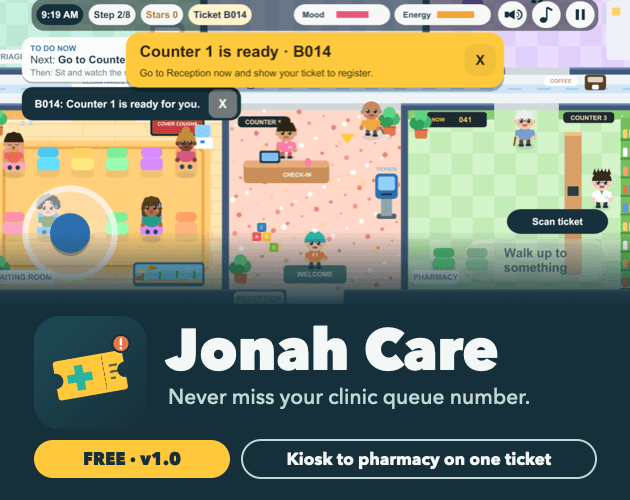


Related games

Beatnik

Sprunki Black

Labadairity

Orbit Kick

Parking Escape: City Rush

20 SECONDS WITH YOUR WIFE

Neon Puck

Clashdle

Sprunki Garnold Time

Sprunki Hyper Shifted
What is Jonah Care?
Jonah Care is a short clinic practice simulation where your ticket does more than mark your place in line: it follows you through the visit. Play as a patient heading to the right counter or room, or work as a clinical assistant running Counter 2. The clinic and staff are fictional, no messages are sent, and nothing here is medical advice.
How to play Jonah Care
1. Get your controls sorted
On a phone or tablet, turn the device sideways and tap to move and choose. On a laptop, click to move and choose; Esc pauses.
2. Pick up your patient ticket
Take an A ticket for a walk-in or a B ticket for an appointment at the kiosk.
3. Scan and follow your call
Scan the ticket to link it to the in-game Jonah Care phone app and see your queue position and visit path. When your turn comes, the alert names the exact counter or room.
4. Keep that ticket handy
Follow the same ticket through the doctor, lab and pharmacy. The patient simulation also teaches what to do if you miss your number.
5. Take a shift at Counter 2
As a clinical assistant, call A and B tickets in a fair order and handle no-shows. Take vitals, check for urgent signs and keep your energy up.
What's in the clinic?
Both sides of the counter
Follow a visit as a patient or run a shift as a clinical assistant at Counter 2.
A ticket for the whole visit
Your patient ticket stays with you through the doctor, lab and pharmacy, with alerts naming where to go when called.
Large text and reduced motion
Settings includes Large text and Reduce motion options.
Browser-saved visits
Your visit is saved in the browser you're using.
Built around clinic confusion
The design draws on questionnaires with a patient, clinic staff and doctors about missed calls, wrong rooms and uncertainty over what comes next.
Why give it a go?
Try both clinic roles
See the visit from the waiting patient's side, then take responsibility for the queue at Counter 2.
Practice what comes next
Learn how ticket calls guide a clinic visit, including where to go and what to do if you miss your number.
No install, just your browser
Play Jonah Care straight in your browser without installing anything. Your visit saves in that browser, so that's where your clinic practice stays.
Before your number gets called
A or B? Check your visit type
The kiosk uses A tickets for walk-ins and B tickets for appointments.
💡Choose the ticket that matches your visit.
Check the destination
Your turn alert names the exact counter or room, not just your ticket number.
💡Read the location in the alert before moving.
Adjust the display
Large text and Reduce motion are available in Settings.
💡Open Settings to choose the display options you prefer.
Jonah Care questions, answered
Q:How do you control Jonah Care?
Turn your phone or tablet sideways, then tap to move and choose. On a laptop, click to move and choose, and press Esc to pause.
Q:What do you do in Jonah Care?
As a patient, take and scan a ticket, follow queue calls and visit the doctor, lab and pharmacy. As a clinical assistant, run Counter 2, manage ticket calls and no-shows, take vitals and maintain your energy.
Q:Does Jonah Care send real messages or give medical advice?
No messages are sent, and the clinic and its staff are fictional. This is a practice simulation, not medical advice.
Q:Does my visit save?
Yes, your visit is saved in the browser you're using.
Q:Why is there no sound at first?
Sound starts after your first tap.