Neon Puck: Outsmart Eight AI Rivals on the Air Hockey Table
Eight rivals. One puck. Plenty of chances to make the machine look silly.
Share Neon Puck
More games
New Games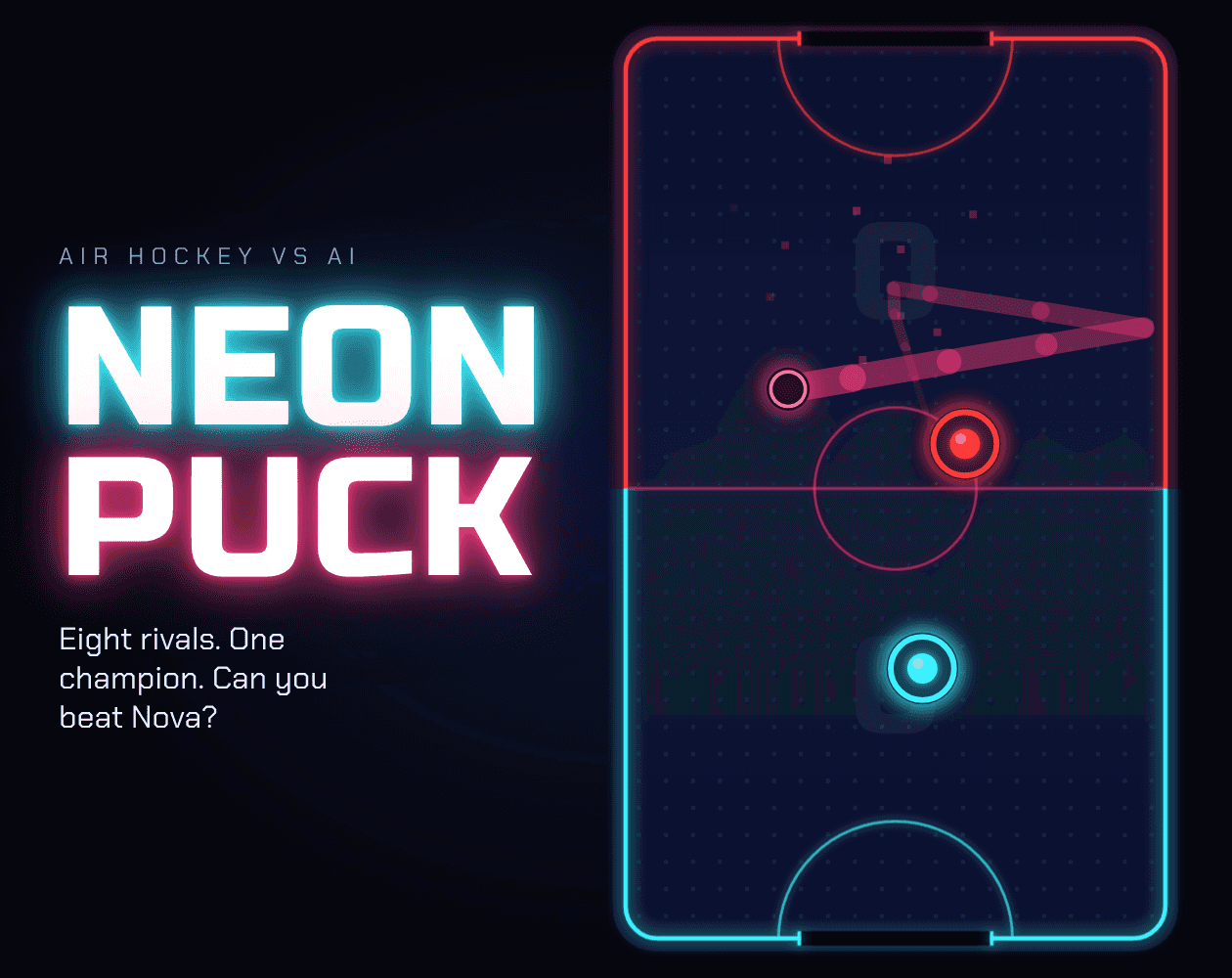

Related games

Sprunki Deluxe Epic!

CHRIS: Beneath the Mountain
Spunky Sprinkle

Human Expenditure Program

Sprunki Retake (New Human Version) with Bonus

Sprunki Crazy lime Mans Revenge
2048

Kinda Hard Golf

Sprunki Wenda Treatment Pyramixed 3.0

Eaglercraft Unblocked
What is Neon Puck?
Neon Puck is singleplayer neon air hockey against eight AI opponents, each with a different style and a weakness to figure out. Beat each rival to unlock the next, climbing from slow-reacting Pip to Nova, the fast, precise, unpredictable Champion.
How to play Neon Puck
1. Pick your match length
Choose a match of 3, 5, 7 or 10 goals.
2. Move your mallet
On a computer, move your mallet with the mouse; arrow keys or WASD also work. On a phone, drag with your finger and hold the phone upright.
3. Put some pace on the puck
Swing harder for faster shots. The puck can bounce off the walls, so a straight shot isn't your only option.
4. Read your rival
Each AI plays differently: Bramble defends well but rarely attacks, while Zap charges every puck and leaves gaps. Beat your current opponent to unlock the next.
5. Learn from a loss
After every loss, the game offers tips to help you beat that opponent. Take the hint before your next attempt.
6. Pause or quiet things down
Press Esc to pause. Press M to mute.
What's on the table?
Eight distinct AI rivals
Echo shadows your moves, Banks loves wall shots, and Vex fakes one way before shooting the other. By the time you reach Nova, you've faced a very mixed bag of trouble.
Puck physics with punch
Harder swings produce faster shots, and wall bounces let you send the puck in at an angle.
Endless mode gets sharper
The AI improves after every goal you score in Endless mode. Scoring means your opponent gets tougher, too.
Your choice of goal count
Matches come in 3, 5, 7 or 10-goal options.
Tips after every loss
A defeat comes with advice for beating your opponent. At least the machine gives you something useful after winning.
Computer and phone controls
Use a mouse or keyboard on a computer, or drag your mallet with a finger on a phone.
A couple of angles to try
Use the walls
The puck can bounce off the walls, opening up bank shots instead of only straight hits.
💡Aim a shot off a wall to change its approach.
Watch Zap's gaps
Zap charges every puck and leaves gaps. That aggressive style gives you a specific weakness to look for.
💡Look for the gaps when Zap charges.
Why take on the machine?
A ladder with different personalities
Pip is easy to fool; Nova is fast and unpredictable. The climb asks you to read different opponents rather than face the same style eight times.
Make every swing count
Shot speed responds to how hard you swing, while wall bounces add another way to send the puck toward goal.
Skip the install, grab the mallet
Play Neon Puck straight in your browser without an install. It supports computers and phones, with mouse, keyboard or finger controls to match your device.
Neon Puck questions, answered
Q:How do you control Neon Puck?
On a computer, use the mouse, arrow keys or WASD to move your mallet. On a phone, drag with your finger while holding the phone upright.
Q:What is the goal in Neon Puck?
Beat eight AI opponents in order, unlocking the next rival with each victory. Nova, the Champion, is the final opponent on the ladder.
Q:What changes in Endless mode?
The AI gets sharper after every goal you score. Your next goal comes against a tougher opponent.
Q:Who are the eight opponents?
The ladder runs through Pip, Bramble, Zap, Echo, Banks, Vex, Titan and Nova. Each has a different style, from Titan's huge goal-covering mallet to Vex's deceptive shots.
Q:Can I pause or mute the game?
Yes. Esc pauses the game, and M mutes it.