






RINSEWICK WORKSHOP: Restore 12 Harbour Treasures
Scrub the grime, recover the shine, and send Rinsewick's lost things home again.
Share RINSEWICK WORKSHOP
More games

Related games

Sprunki Blast
2048

FNF Hazier River: Smoke ‘Em Out Struggle

Dusty Like Air
Rogue Metroidvania

Sprunki Oren Treatment
Drillmates

Help Sprunki: Incredibox Challenge

BlockBlast2

Sky Patent
Bring the Harbour Finds Back to Life
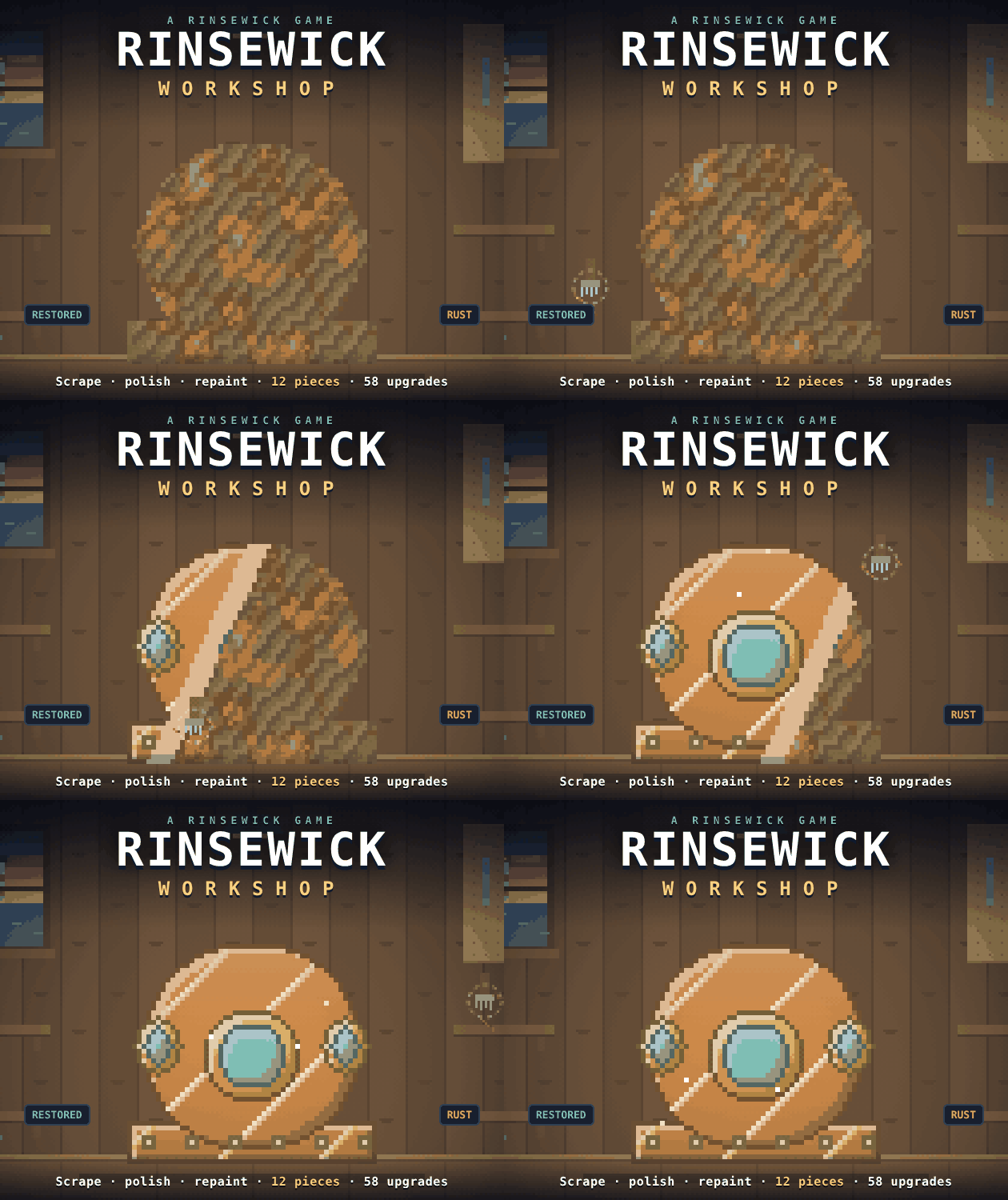
RINSEWICK WORKSHOP is a relaxing restoration clicker about recovering twelve rusty, scratched, and faded treasures. Use three tools, reinvest your earnings, and gradually fill the Rinsewick Museum.
Point, Scrub, and Restore
Aim Your Tool
Point the mouse at the piece and the selected tool works automatically until its battery runs dry.
Switch Between Three Tools
Press 1-3 or use the mouse wheel to select the wire brush, polish pad, or spray gun.
Choose Each Layer
Scrape away dust and rust with the brush, polish bare metals with the pad, then restore factory colours with the spray gun.
Spend Your Earnings
Use what you earn on the upgrade tree, then start another shift. Every restoration you finish stays fixed.
Workshop Shortcuts
Faster Tool Switching
Switch between the wire brush, polish pad, and spray gun with 1-3 or the mouse wheel. Smart Grip can eventually choose the tool for you.
💡Keep your mouse over the workbench and use 1-3 to move quickly between layers.
Get More From Each Shift
Battery life sets the working limit for each job. Upgrades can extend it alongside tool power and selling prices.
💡Save earnings for longer batteries when you need more uninterrupted working time.
Inspect the Final Result
Finished jobs replay the full restoration in seconds, then unlock a before-and-after slider.
💡Use the slider to inspect rust, shine, colour, and any maker's mark you uncovered.
A Proper Restoration Workshop
Watch Every Restoration
Each finished piece replays the whole job in seconds, from rust flaking off to paint returning.
Compare Before and After
Drag the before-and-after slider once your work is complete and admire the difference.
Upgrade the Workshop
Choose from 58 upgrades covering stronger tools, longer batteries, better prices, tinker bots, and more.
Search for Maker's Marks
All twelve lost things can hide a maker's mark beneath the rust, worth a pearl if you uncover it.
Fill the Rinsewick Museum
Restore all twelve pieces to finish the collection and put it on display at the harbour.
Let Smart Grip Choose
Buy the Smart Grip upgrade and your tool can select itself instead of switching manually.
Workshop Questions
How do I use the restoration tools?
Point the mouse at the piece and your selected tool works by itself. Use 1-3 or the mouse wheel to change tools.
What does the battery control?
The battery limits how long you can work during a shift. When it runs dry, spend your earnings on upgrades and go again.
Do my restored pieces stay restored?
Yes. What you fix stays fixed, so completed pieces remain in your collection as you continue upgrading the workshop.
Can I play without installing anything?
Yes. The full game is a download: unzip it and open index.html in any modern browser. Progress saves automatically in your browser.
Can I try the game in my browser?
Yes. The first three pieces are available to play right here in your browser.
Start Scrubbing in Your Browser
Play the first three pieces free right here, with no installation required. The full download includes all twelve restorations and works offline after unzipping index.html.
Why You'll Keep Cleaning
Properly Satisfying Restoration
Watch rust disappear, dull metal brighten, and factory paint return one satisfying layer at a time.
A Deep Upgrade Tree
Build stronger tools and a more efficient workshop across 58 upgrades, including helper bots and golden tools.
Complete the Harbour Collection
Restore twelve distinctive lost objects, then display the full set at the Rinsewick Museum.