






Rogue Metroidvania: Play the Browser Prototype Now
Jump, explore, and touch those yellow boxes in this early Rogue Metroidvania prototype.
Share Rogue Metroidvania
More games

Related games

Esprunki Incredibox

2048

Sprunki OC Ultimate

Papa's Freezeria

Drillmates

Sprunki Infected X v0.5
RINSEWICK WORKSHOP

Sprunki Phase 3 Remastered But Everyone is Vineria

Ninjamuffin

Sky Patent
Early Prototype Action
Rogue Metroidvania is currently in the prototype stage. Move through the game with WASD, jump with Space, and use the mouse to control the camera.
How to Play
Move Your Character
Use WASD to move around the game world.
Jump in Place—or Beyond
Press Space to jump.
Move the Camera
Use the mouse to control the camera.
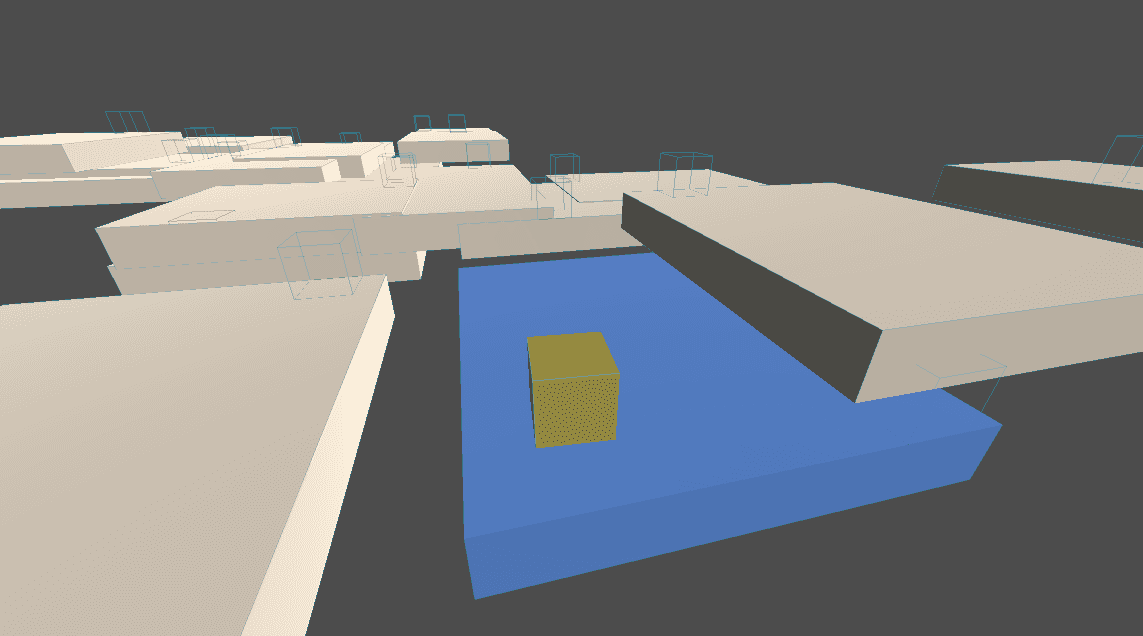
Interact with Yellow Boxes
Touch the yellow boxes to trigger interactions.
Control Tips
Keep Moving and Looking
Use WASD to move while using the mouse to control the camera.
💡Use the mouse to keep the view under control as you move.
Find the Yellow Boxes
Yellow boxes are interactive objects, so touch them to interact.
💡Move into a yellow box when you are ready to interact.
Prototype Features
Keyboard Movement
Use the WASD keys to move your character.
Mouse Camera Control
Move the mouse to control the camera.
Jumping Action
Press Space to jump.
Yellow Box Interactions
Touch yellow boxes to interact with them.
Prototype FAQ
Is Rogue Metroidvania finished?
No. The game is currently in its prototype stage.
How do I move and jump?
Use WASD to move and press Space to jump.
How do I control the camera?
Use the mouse to control the camera.
What do I touch to interact?
Touch the yellow boxes to interact with them.
Jump In From Your Browser
Play the Rogue Metroidvania prototype in your browser without installing anything. Use WASD to move, Space to jump, and the mouse to control the camera.